Ask your CRM: AI chat is live in SmrtContacts
Your CRM already knows who the decision-maker is, when you last spoke to them, and which deals have gone quiet. Getting it to tell you used to mean filters, saved views and a report. Now you can just ask.
There's a particular kind of friction in every CRM. The information you want is definitely in there — someone captured it, the history is complete, the deals are up to date. But answering a simple question means knowing where to look: which view, which filter, which tab on which record.
The cost isn't really the clicking. It's that people stop asking. When checking something takes two minutes and a bit of thought, you check it before the big meeting and skip it before the small one. Decisions quietly start getting made on memory.
So we built AI chat into SmrtContacts. You ask a question in plain English, and it answers from your data.
It sits at the top of the main navigation — ✨ AI, first item, one click from anywhere in the app. Not tucked in a settings menu, because a tool you have to go looking for is a tool you stop using. And it's scoped to your permissions: it only sees data you're allowed to see.
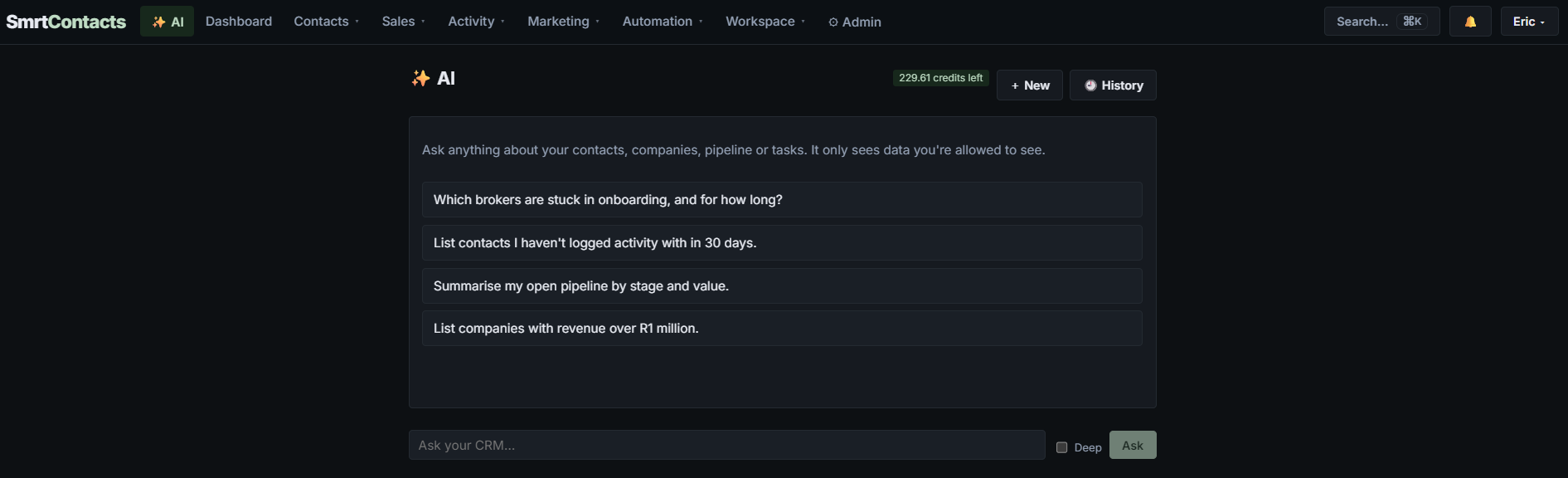
What you can ask
Four kinds of question cover most of what people actually need day to day.
Facts about a company or a person
"Who's the CEO of XYZ?"
The kind of thing you want thirty seconds before a call, when opening the company record, scanning the contact list and working out who's who takes longer than it should.
Relationship history
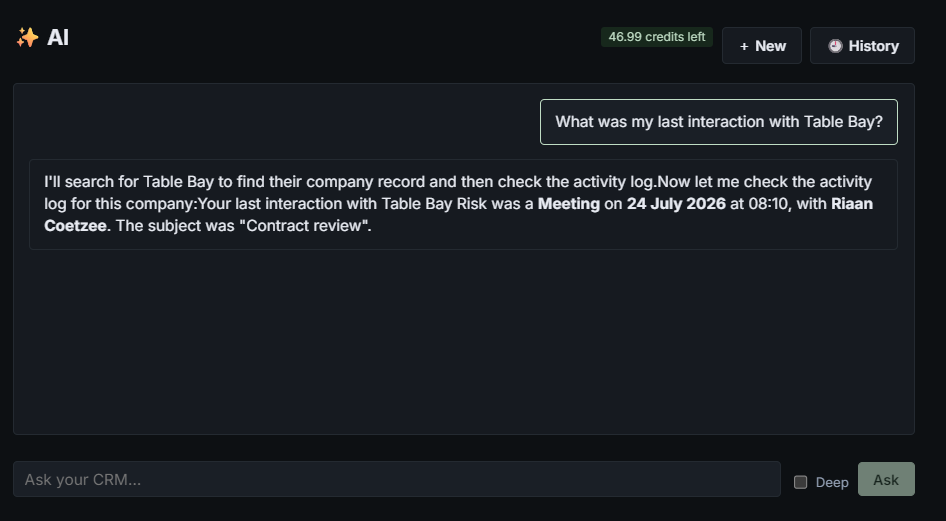
"What was my last interaction with Table Bay?"
Possibly the single most useful question in any CRM, and historically one of the most annoying to answer — because the last interaction might be a note, an email, a meeting or a deal update, and they don't all live in the same place. You get the answer without deciding where to look first: what it was, when, and with whom.
Prioritisation
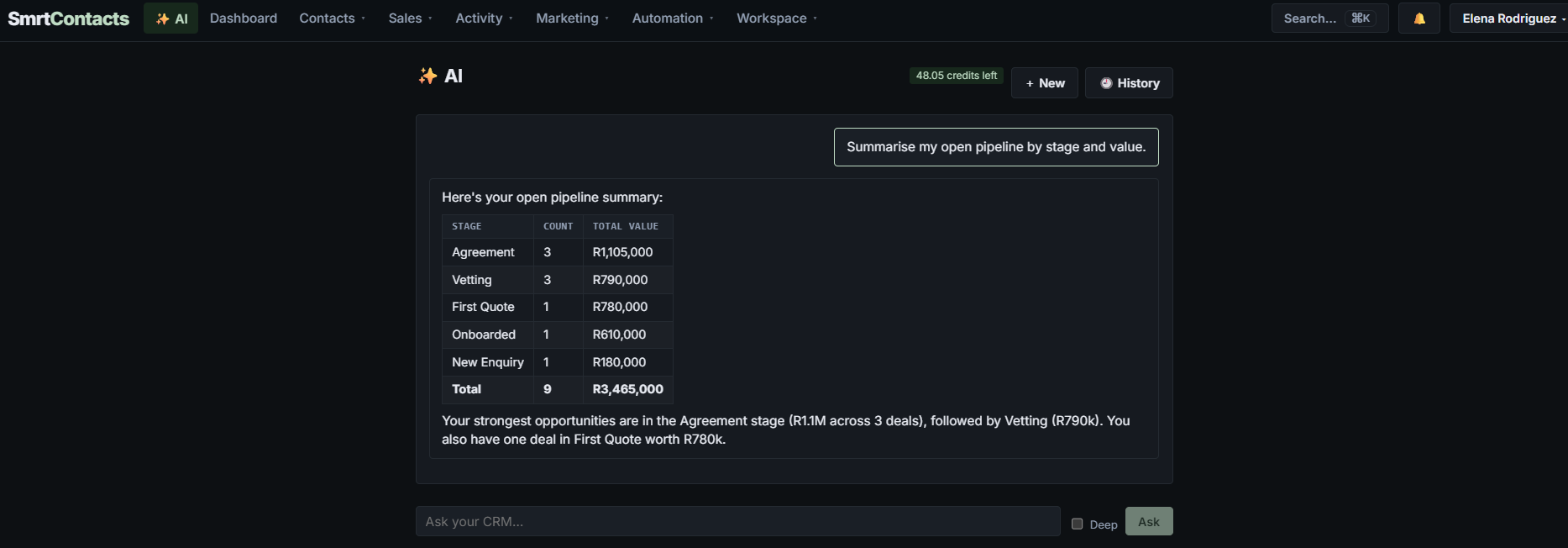
"Summarise my open pipeline by stage and value."
This is the question a pipeline view is supposed to answer and usually doesn't, because it shows you everything at once and leaves the ranking to you. You get a stage-by-stage table with counts and totals, plus a plain-English read of where the weight actually sits.
Pipeline hygiene
"Which deals have aged?"
The deals nobody has touched in weeks are the ones quietly inflating your forecast. They're also the easiest thing in a CRM to not notice, precisely because nothing about them changes. As we've written about before, most deals aren't lost to a competitor — they're lost to silence, and age is the first visible symptom.
Try these first
- "What was my last interaction with [company]?" — before your next call
- "List contacts I haven't logged activity with in 30 days." — first thing on a Monday
- "Summarise my open pipeline by stage and value." — when the pipeline feels overwhelming
- "Which brokers are stuck in onboarding, and for how long?" — when something's clearly jammed
It shows its work — and pushes back
Two behaviours matter more than they sound.
First, it tells you what it's doing before it answers: "I'll search for Table Bay to find their company record, then check the activity log." You can see which data the answer came from, which means you can tell the difference between a real answer and a confident-sounding guess.
Second, it asks follow-up questions instead of pretending a null result is a finding. Ask how many dormant clients you have and — if there genuinely aren't any in the last 30 days — it says so, then offers to widen the window to 60 or 90. That's the difference between a tool that answers the question you asked and one that helps with the question you meant.
Why lowering the cost of a question matters
The interesting effect isn't time saved on any single lookup. It's that a cheap question gets asked more often.
When "which of these has gone stale?" takes one sentence instead of a report, it becomes a Monday-morning habit rather than a quarterly clean-up. When "when did we last speak?" is instant, you check before every call rather than the important ones. The behaviour change is the point — the same data, consulted ten times more often, produces noticeably better decisions.
What it is, and what it isn't
It answers from your data — your contacts, companies, interactions and deals. That's the whole design. It's for retrieving and summarising what you already have, fast, without you needing to know the structure of the system to get at it.
It isn't a substitute for judgement. When it surfaces the deals worth focusing on, it's working from what's recorded — value, stage, age, recency of contact. It doesn't know that the client mentioned a budget freeze on a call nobody logged. Which is really an argument for logging the call: the better your data, the better every answer gets. That has always been true of CRMs. It's just more immediately obvious now.
AI chat is available in SmrtContacts now. If you're already a user, it's there waiting for a question.